How to use this app.
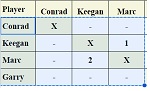
- In your Google sheet hightlight the entire player grid EXCEPT the top row (that starts with "Player").
- Copy the highlighted area.
- Click the green button.
- The code is copied to the clipboard as well as the textarea to the right.
- Now go to VS Code and paste it!